
registration


Amilia SmartRec
Learn about Amilia SmartRec and activate your patron account in the new system
You Need a New Rec Center Account
We have a new system called Amilia SmartRec. It keeps your membership and your class sign-ups in one place.
Your old login will not work in the new system, so everyone needs to make a new account. This includes people who already have a membership.
Please make your new account by Tuesday, October 6.
After October 6, you will need your new account to:
-
Come into the Rec Center
-
Sign up for classes and programs
Use the same email you gave us before. That way we can connect your membership to your new account. It only takes a few minutes. Just follow the steps below.
Need help? Call us at 435.781.0982 or ask at the front desk. We're happy to help!


Step 2:
Create Your Account
Uintah Special Service District 1 now uses Amilia SmartRec to handle its registration.
The email account you use to create your account must match the one associated with your USSD1 account.

Step 3:
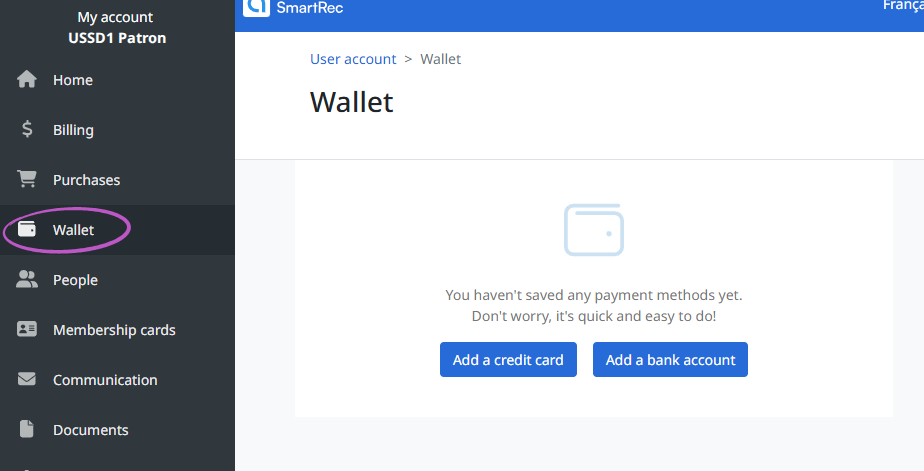
Set up your Wallet
Add your preferred payment method(s)
To allow USSD1 to charge your card, you must select "Uintah Special Service District 1" from the Authorizations dropdown. Not permitting authorization may result in program disruptions.
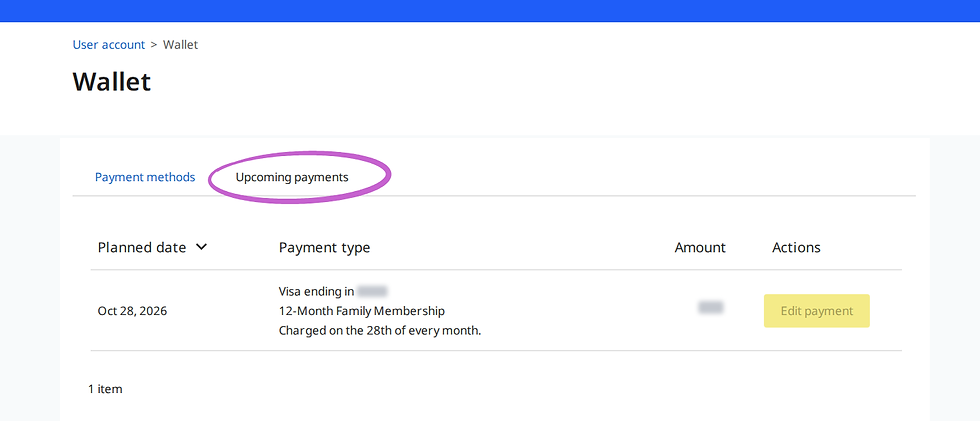
Once added, select the "Upcoming Payments" tab and click "Edit Payment" to choose your preferred methods.


Step 4:
Verify Info & Add Family Members
Review name and date of birth for each member on your account and make changes if needed.
To give an adult account access, after adding them, choose "Invite to join family account"

Step 5:
Register for Activities!
Browse for programs and add classes to your "wishlist" if you want to find them easier or register right away!
FAQs
Find answers to common questions about this transition.
Yes. Amilia is our new registration software partner; that email is how you activate your account.
If you get the activation email, use its link to set a password on your existing (imported) account — don't create a second one.
No. One adult activates the account, then adds household members under it.
No — for security, payment info isn't imported. Add a card to your Amilia wallet before you check out.
You can still register — the activation link stays valid 60 days — but activating early avoids delays on registration day. You will NOT be able to use the Rec Center until you have activated your account.
Registration opens Oct 6. The Sep 29 import only moves your account information into the new system.
Call the front desk at 435.781.0982 anytime we are open!
Monday - Friday 5:00 am - 9:30 pm
Saturday 5:00 am - 7:00pm
Holidays 5:00 am - 7:00 pm
New registration software system
Improvements include...
-
Easily explore, register and pay for classes and programs
-
See your/your family's schedule at-a-glance
-
Update your own account information, including credit card(s)
-
View each family member's activities, registrations and billings, including past and due payments
To Recap:
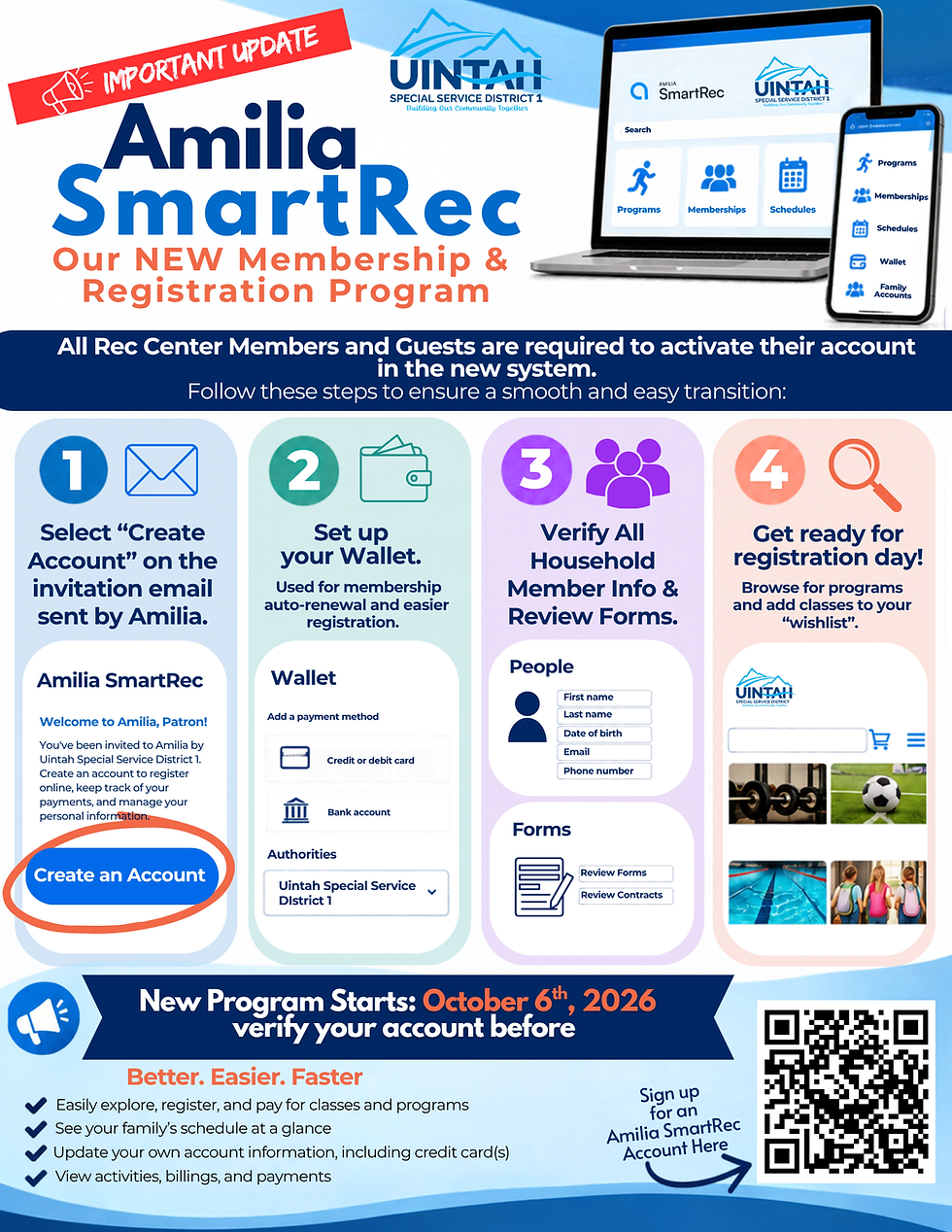
Here are the simple steps to activate your new Amilia SmartRec account:
.png)